
6E Club Forgot Password: Reset Your Login in Four Steps
Forgetting a password happens to everyone. Resetting a 6E Club login takes about a minute if the registered SIM is in your phone.
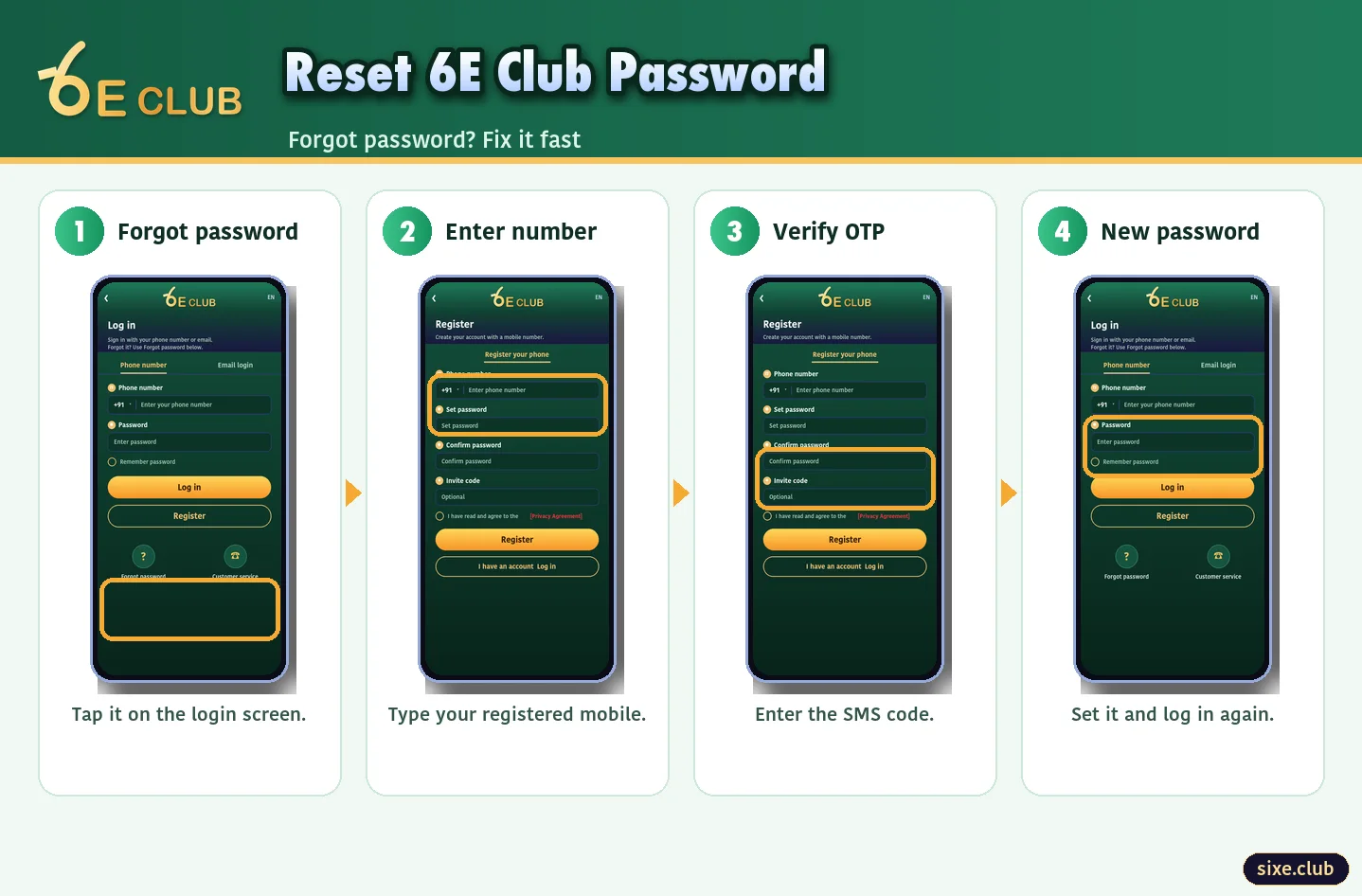
Reset Steps
- Tap Forgot password on the 6E Club login screen.
- Enter your registered mobile number.
- Type the OTP from the SMS.
- Choose a new password and log in.
Changing the Withdrawal Password
The withdrawal password is separate. Change it under Account → Settings → Withdrawal password, or ask support if you have lost access to it.
If the Reset Does Not Work
| Problem | Fix |
|---|---|
| No OTP | Check signal and DND, wait one minute |
| Number not registered | You may have used another number at sign-up |
| Lost the SIM | Get a replacement SIM from your operator, or contact support with your UID |
Secure Your Account Afterwards
- Use a password you have not used anywhere else
- Log out of old devices
- Review Wallet history for unfamiliar activity
If you suspect someone else knows your password, reset it straight away even if nothing looks wrong yet, then go through Wallet history for anything unfamiliar. Acting quickly is the difference between a scare and an actual loss.
Back In: What to Check
After resetting, complete a normal 6E Club login on each device you use, update the saved password in your browser and look through Wallet history. If anything looks wrong, contact 6E Club customer support straight away. And if you landed on a strange page during the reset, compare it with the 6E Club official website list.
Frequently Asked Questions
Can 6E Club support tell me my password?
No. You have to reset it.
How long is the reset OTP valid?
A few minutes. Request a new one if it expires.